Why a Minimalist Day Tracker Beats Feature-Bloated Habit Apps
Open the App Store, search "habit tracker," and scroll through the results. Every listing reads like a feature arms race. Streaks. Points. Leaderboards. Social feeds. Gamification. Badges. Challenges. Weekly reports. Monthly reports. Detailed analytics. AI coaching.
It is exhausting just reading the descriptions. Now imagine actually using one of these apps every day.
The habit tracking space has a paradox at its core: the tools designed to simplify your life have become some of the most complex apps on your phone. And that complexity is precisely why most people stop using them.
The Cognitive Overhead Problem
Every feature in a habit tracker costs something. Not money — attention. Each additional screen, toggle, setting, and notification creates what psychologists call cognitive overhead: the mental effort required to use a tool beyond its core purpose.
Consider what a "full-featured" habit tracker asks of you on a daily basis:
- Check your streak count and feel the pressure to maintain it
- Review your points balance and figure out what to spend them on
- Scroll through a social feed of other people's achievements
- Respond to push notifications about challenges you joined last month
- Navigate through multiple tabs to find the thing you actually want to log
- Interpret complex charts that require a statistics degree
None of this is tracking. It is managing an app. And managing an app is the opposite of building a habit.
💡 The paradox of choice in tracking
Research by psychologist Barry Schwartz shows that more options lead to decision fatigue and lower satisfaction. When your tracker gives you 47 ways to customise a single habit, you spend more time configuring than doing. A minimalist day tracker sidesteps this entirely by removing the decisions that do not matter.
What "Minimalist" Actually Means
Minimalism in a tracker is not about having fewer features. It is about having fewer steps between you and the action that matters: logging that you did the thing.
A truly minimalist day tracker should follow one principle: one tap to log.
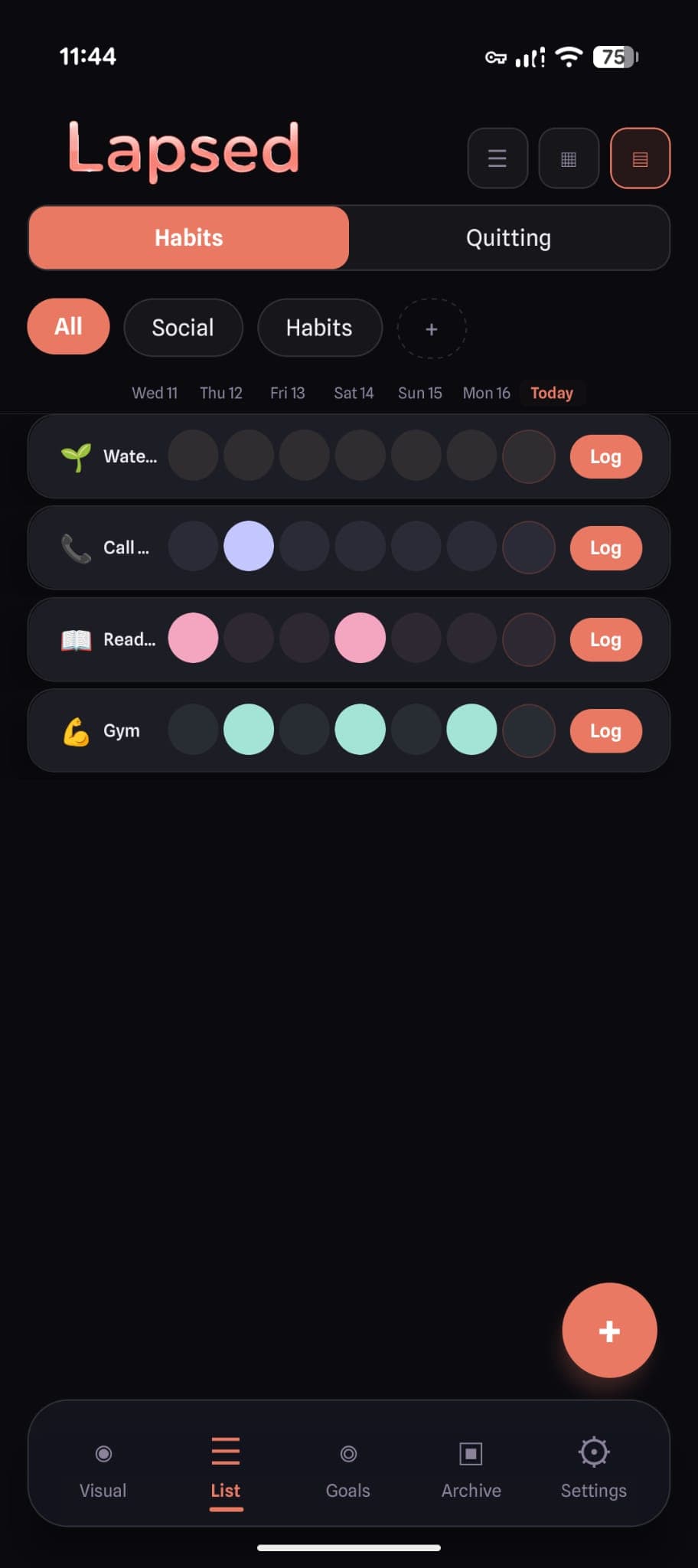
You open the app. You see your items. You tap the one you just did. Done. The entire interaction takes less than three seconds. There is no form to fill out, no notes field demanding context, no pop-up asking how you feel about it.
This matters because habit tracking is a secondary behaviour. The primary behaviour is the habit itself — exercising, meditating, calling your mum, changing your sheets. The tracker exists to support that behaviour, not compete with it for your attention.
When logging takes 30 seconds of navigating menus, the tracker becomes a task in itself. When it takes one tap, it stays invisible — exactly where a tool should be.
Minimalist in Interaction, Rich in Meaning
Here is where most "simple" trackers get it wrong: they strip away features and leave you with a boring list. A plain text list of items with dates next to them is simple, yes. It is also forgettable, uninspiring, and easy to ignore.
The best minimalist day tracker is one that is minimal in interaction but rich in visual feedback. You should not need to read numbers to understand your tracking — you should be able to feel it.
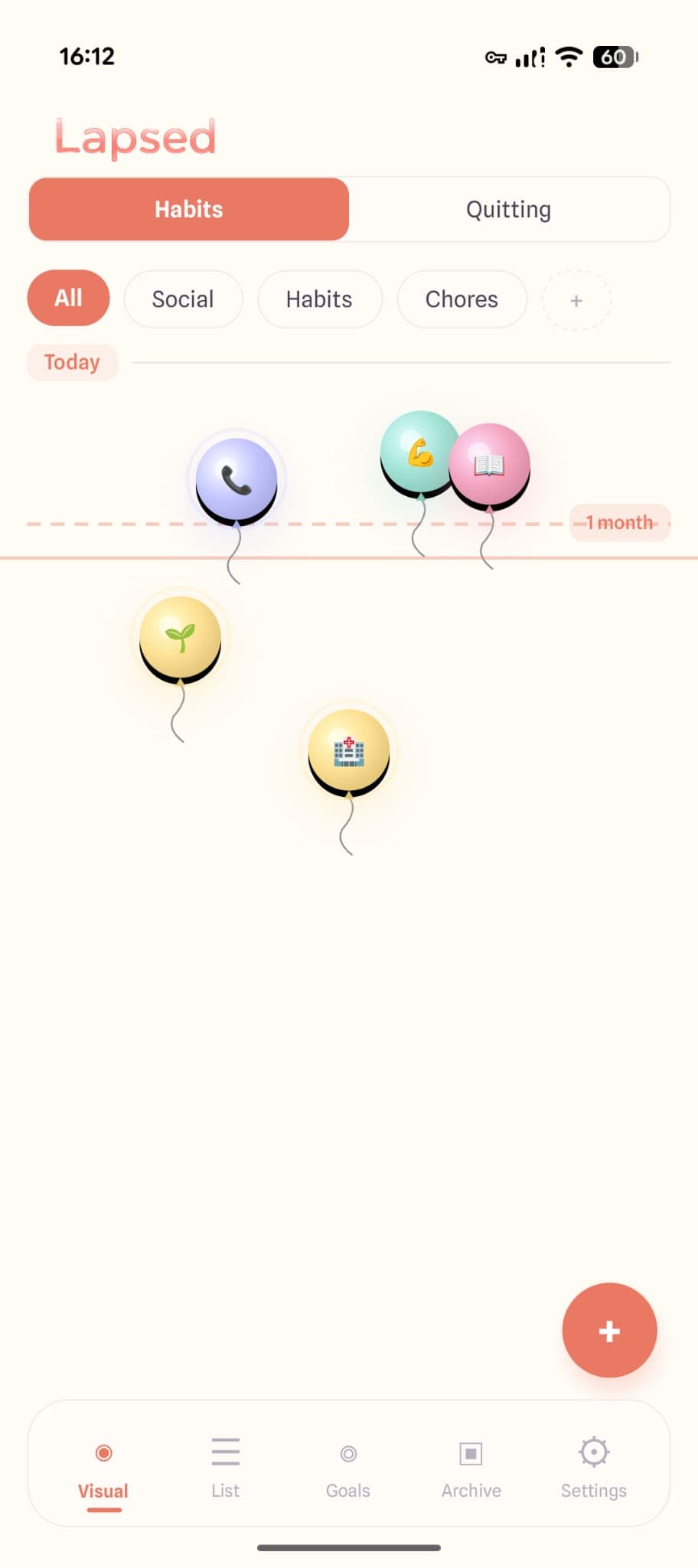
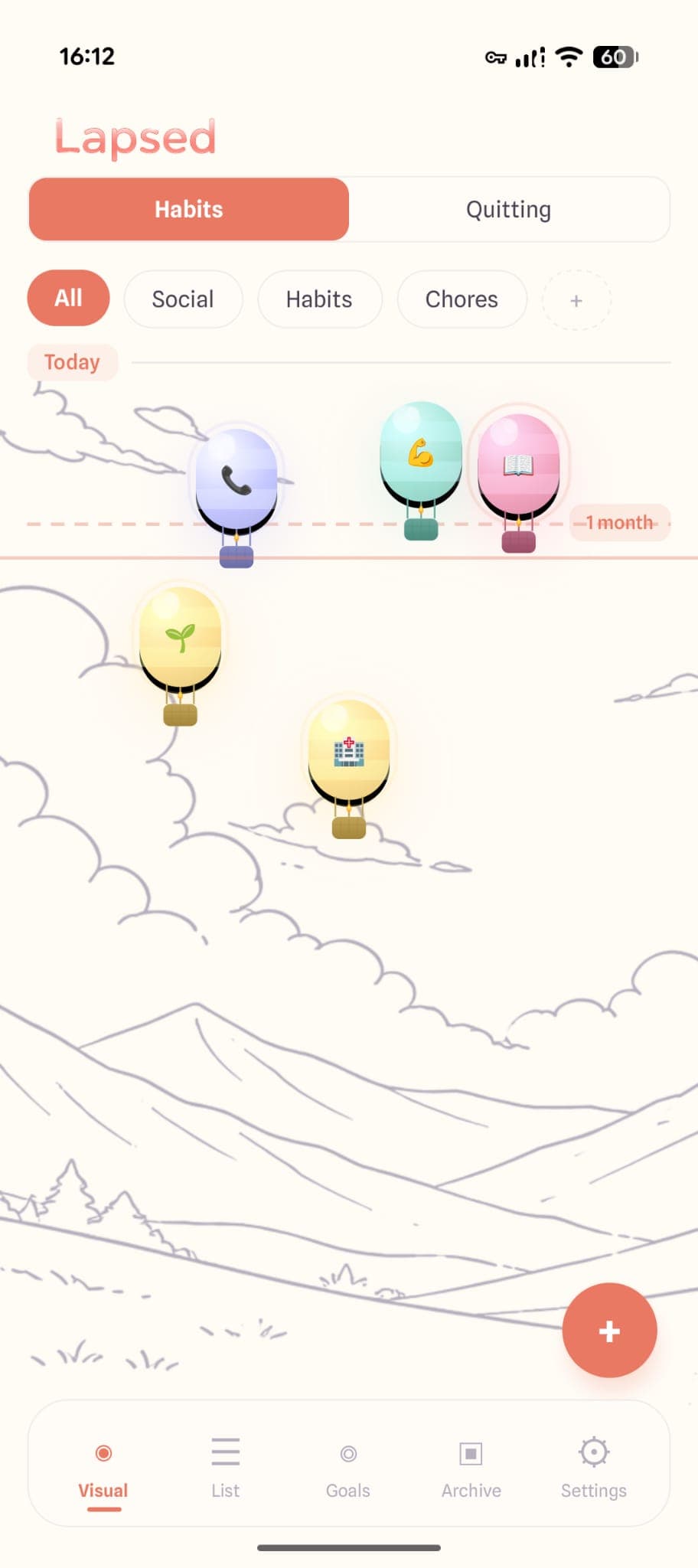
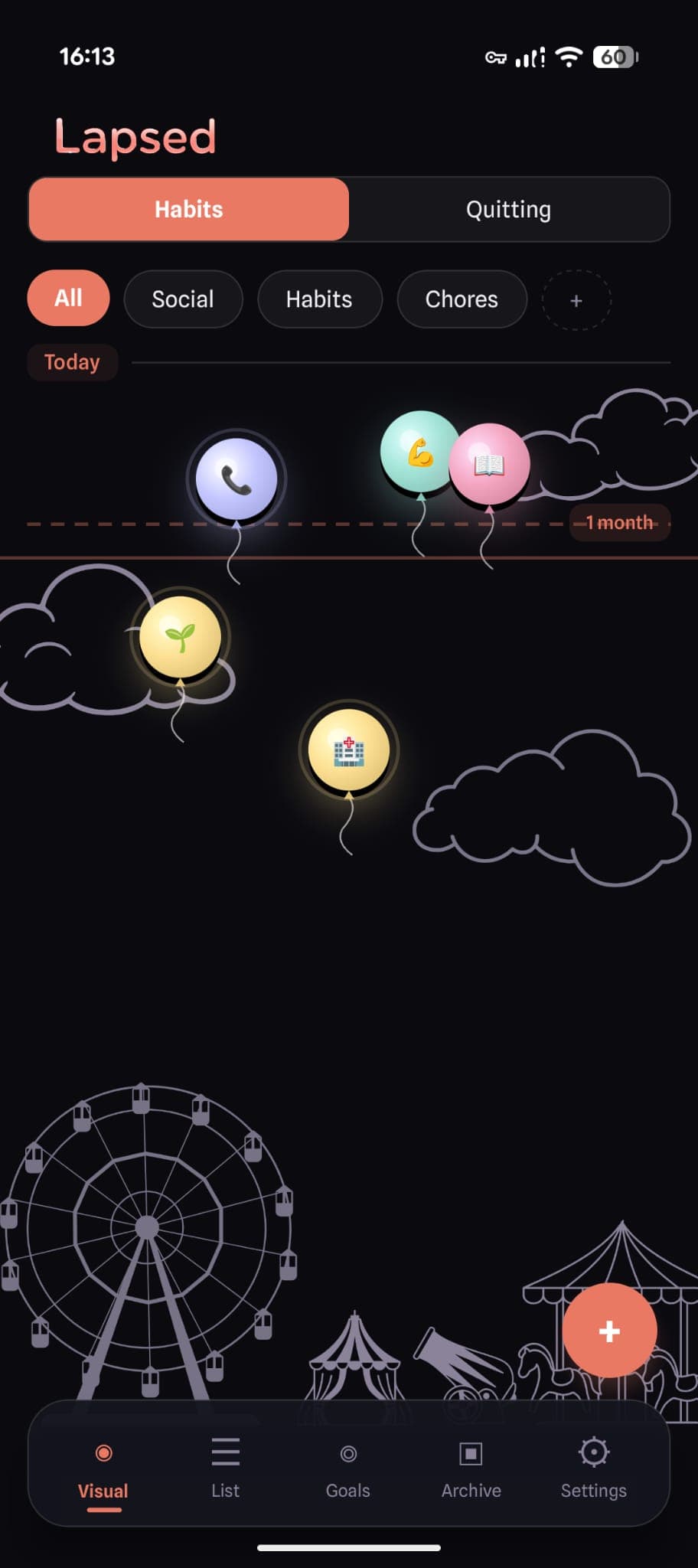
Lapsed takes this approach. Your tracked items float on a visual canvas as dots, balloons, hot air balloons, spaceships, or jellyfish. The further an item drifts from today's line, the longer it has been since you last did it. No numbers required. No charts to interpret. Just a spatial representation of time that your brain processes instantly.
The interaction model is radically simple: tap an item, confirm, done. But the visual feedback is anything but minimal. The glassmorphism design, spring-physics animations, and five distinct visual styles create something you actually want to look at — without adding a single extra step to the logging process.
Minimalist tracking, maximum clarity
Lapsed gives you a simple day tracker with a visual canvas that makes time intuitive. One tap to log. Zero complexity.
The Feature Bloat Checklist
Not sure if your current tracker has crossed the line? Here are the warning signs:
Points and rewards
You earn virtual currency for completing habits. You have no idea what the points actually do or why they exist.
Social features
Other users can see your habits, comment on your progress, or compete with you. You did not sign up for a social network.
Over-engineered analytics
You have access to 15 different chart types but cannot tell at a glance whether you are on track.
Endless configuration
Each habit has its own settings page with more options than your phone's system settings.
If your tracker has three or more of these, it is not helping you build habits. It is giving you another app to manage.
Why Simple Day Counters Work Long-Term
The evidence for simplicity is not just theoretical. When researchers at University College London studied habit formation, they found that the key factor was consistency of context, not complexity of tracking. People who used the simplest possible cue-routine-reward loop were most likely to form lasting habits.
A minimalist day tracker supports this by doing exactly one thing well: showing you how long it has been. That single piece of information — "it has been 4 days since I last exercised" — is more motivating than any points system or leaderboard position. It is concrete, personal, and immediately actionable.
The days-since model works because it removes judgement. There is no "good" or "bad" number. There is just time, represented visually. You decide what it means. If 4 days feels too long, you go exercise. If it feels fine, you move on. No app is guilt-tripping you either way.
The One-Tap Test
Here is a simple test for any tracker you are considering: time yourself logging a single item. From the moment you tap the app icon to the moment the log is confirmed, how many seconds pass?
If the answer is more than five seconds, the app is too complex. If it requires more than two taps, it has unnecessary friction. If you need to navigate to a different screen, it is already failing at its core job.
The best easy habit tracker is the one that disappears after you use it. You open it, you log, you close it. The app does not demand your attention, and it does not try to keep you scrolling. It respects the fact that you have a life to get back to.
This is what simple tracking looks like in practice. Not an app with fewer features, but an app with fewer demands on your time and attention.
Choosing Your Minimalist Tracker
If you have read this far, you probably already know that your current tracker is too complex. The switch to something simpler feels risky — what if you lose functionality you need?
The truth is, you probably do not need most of what your current app offers. You need to know when you last did something. You need to log when you do it again. Everything else is noise.
A minimalist day tracker like Lapsed gives you exactly that: a visual canvas that shows elapsed time at a glance, one-tap logging, and threshold lines that gently signal when something is overdue. No accounts, no social pressure, no gamification treadmill.
The best tracker is the one you actually use. And simplicity is what makes that happen.
Track more by doing less
Lapsed is a simple days-since tracker with a beautiful visual canvas. No streaks, no points, no complexity. Just tap and go.
Written by Lapsed
The beautiful days since tracker. Track your life visually.
Related Articles
Why Simple Habit Tracking Works Better Than Complex Apps
92% of habit tracking attempts fail within 60 days. The problem is not willpower — it is complexity. Here is why a simpler approach to tracking actually sticks.
Why an Aesthetic Habit Tracker Actually Works Better: Beauty as a Feature
Most habit trackers are ugly and forgettable. An aesthetic tracker with glassmorphism, spatial UI, and calm colours changes your relationship with tracking entirely. Here is why design matters more than features.
Days Since Tracker for Android: Lapsed Finally Brings Visual Tracking to Google Play
Android users finally have a proper days since tracker. Lapsed brings its visual canvas, threshold lines, and category system to Google Play — here is what makes it different from Day Counter and other Android options.