The Best Habit Tracker for ADHD Brains: Visual Tools That Actually Work
If you have ADHD, you have probably tried habit trackers before. You set one up with enthusiasm, used it for three days, and then it disappeared into a folder on your second home screen. Not because you do not care about your habits — but because the app was not designed for how your brain works.
Most habit trackers are built for neurotypical brains. They assume consistent daily routines, steady motivation, and the ability to maintain attention on abstract numbers. For ADHD brains, these assumptions are wrong — and the apps fail as a result.
Here is what actually works.
Why Standard Habit Trackers Fail ADHD Brains
Streaks Create Shame Spirals
ADHD means inconsistency is not a choice — it is a neurological reality. Streak-based trackers punish this inconsistency by resetting to zero, which triggers rejection sensitivity and shame. The result: you avoid the app entirely.
Lists Are Invisible
Text-based lists require sustained attention to process. For ADHD brains that skim, skip, and jump between inputs, a list of "14 days / 7 days / 23 days" registers as noise. The information is technically there but practically invisible.
Complexity Kills Adoption
Apps with elaborate setup, multiple configuration screens, and detailed daily check-ins create a friction barrier that ADHD executive dysfunction cannot consistently overcome. If it takes more than 10 seconds to log something, it will not get logged.
💡 The ADHD tracker paradox
People with ADHD often need tracking tools the most — to compensate for working memory limitations — but find them the hardest to use consistently. The solution is not trying harder. It is finding tools designed for how your brain actually processes information.
What ADHD Brains Need in a Tracker
Research on ADHD and productivity tools points to several key principles:
1. Visual Over Textual
ADHD brains process visual and spatial information more effectively than text. A colour-coded canvas communicates faster than a numbered list.
2. Low Friction Logging
One tap to log. No date pickers, no notes fields, no "how did you feel?" prompts. Just tap and done.
3. No Punishment for Inconsistency
Thresholds instead of streaks. Gentle drift instead of broken chains. The tracker should accommodate variable consistency without moral judgment.
4. Dopamine-Friendly Feedback
Satisfying animations, colour changes, haptic feedback. Small rewards for small actions keep the ADHD dopamine system engaged.
5. Ambient Awareness, Not Active Monitoring
ADHD brains struggle with "remember to check this every day." The tracker should communicate its state passively — through widgets, visual glanceability, or gentle notifications.
The Best ADHD-Friendly Tracker Apps
Lapsed — Visual Days Since Tracker
Lapsed is not specifically built for ADHD, but its design principles align perfectly with ADHD needs:
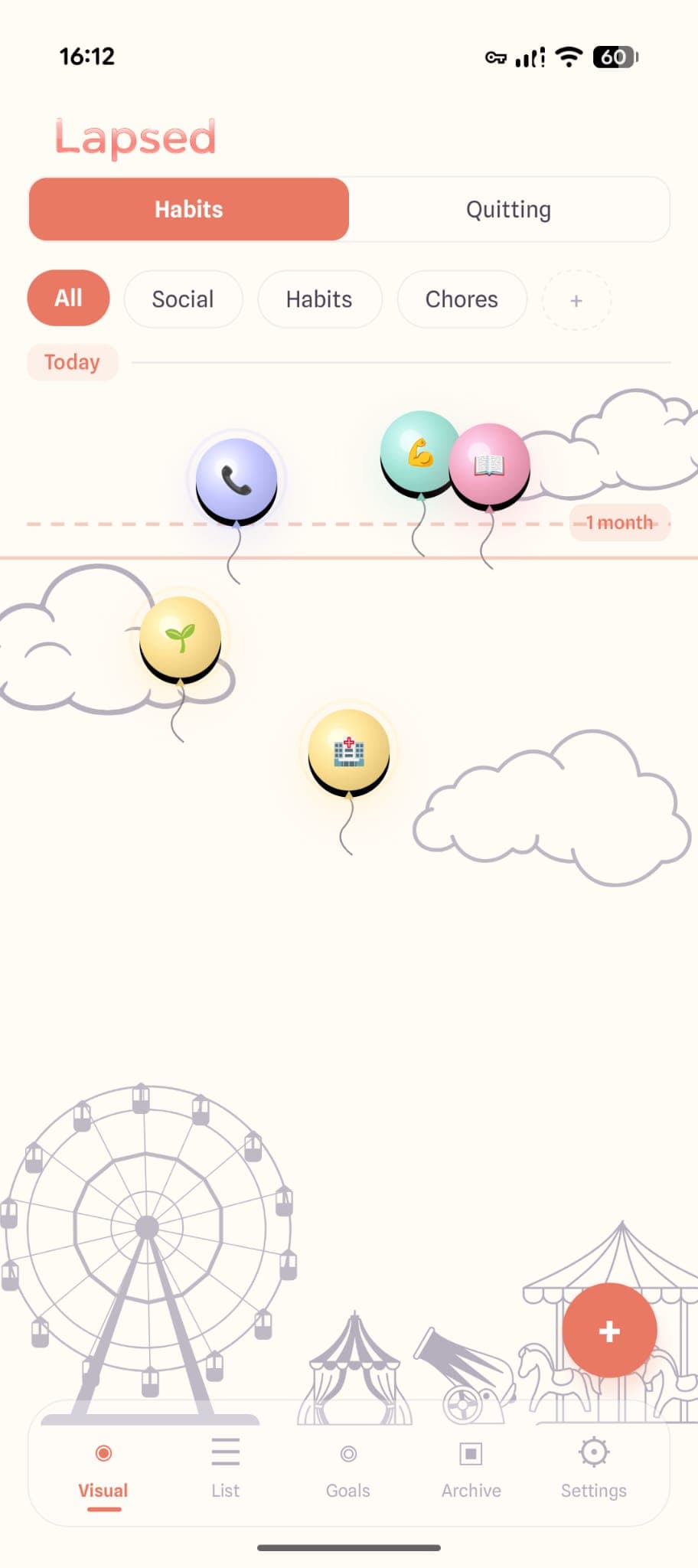
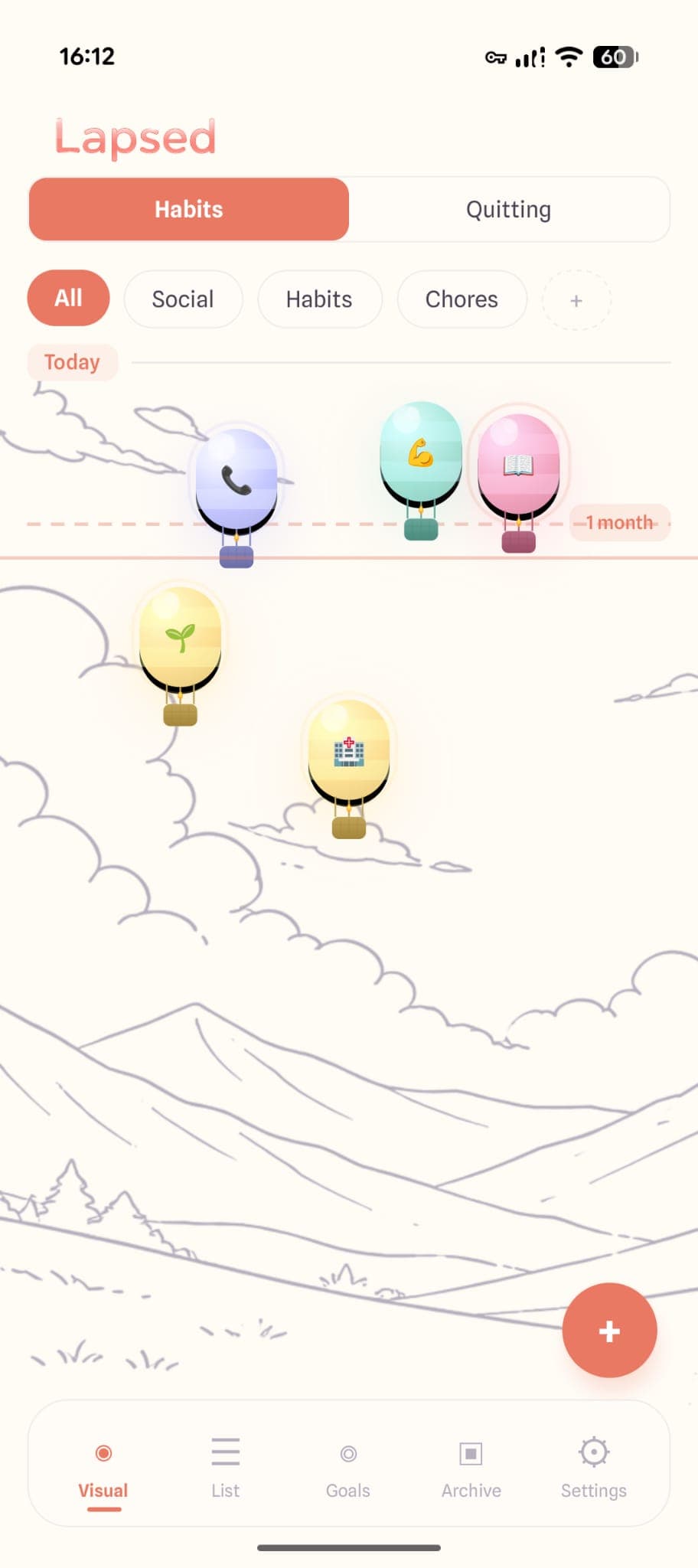
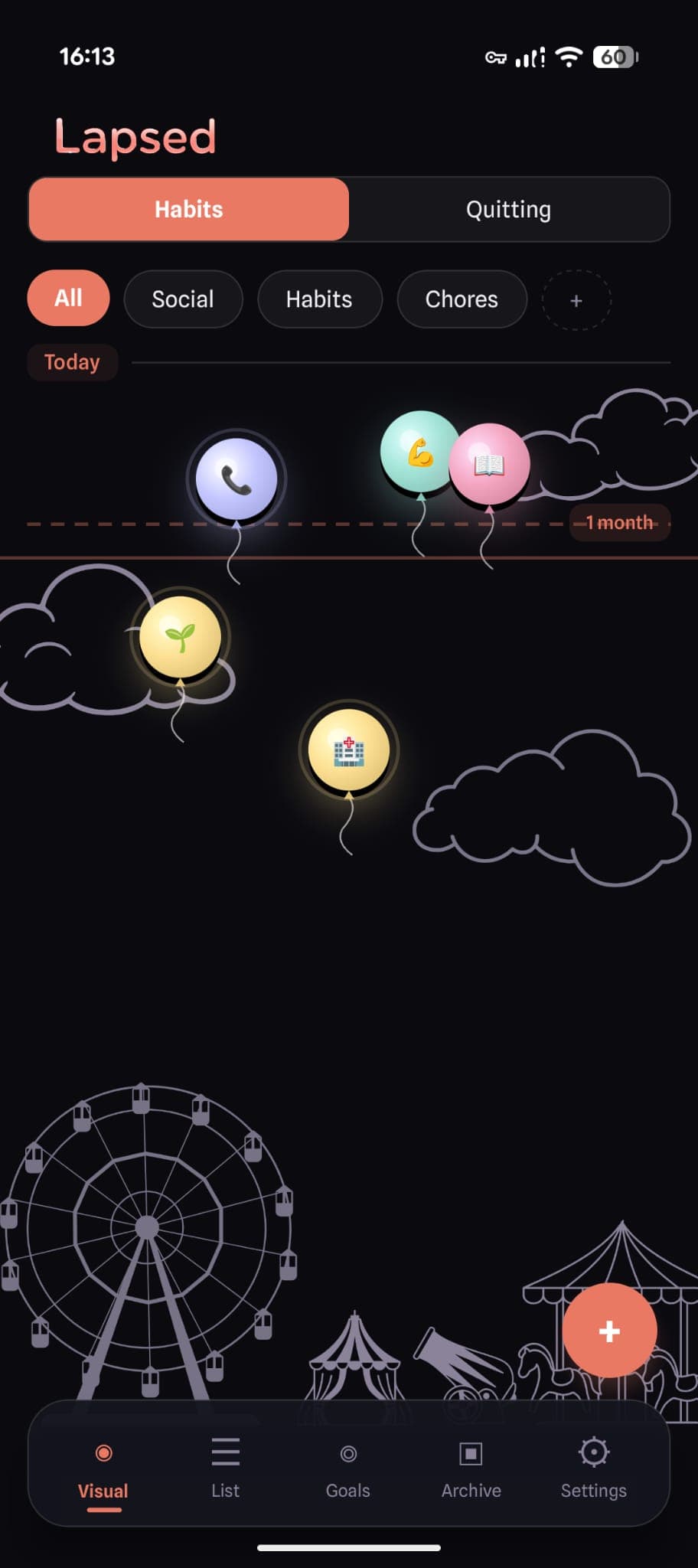
- Visual canvas — Items are dots, balloons, or hot air balloons on a spatial canvas. No list reading required. Your brain processes the whole picture in a glance.
- Threshold, not streaks — Nothing breaks. Items drift past a line when overdue. No shame, no zero.
- One-tap logging — Tap an item, it snaps back to today with a satisfying spring animation and haptic feedback. Done.
- Colour-coded categories — Social is periwinkle, health is mint, chores is yellow. Clusters of one colour drifting far tell you which area of life needs attention.
- Home screen widgets — See your tracking state without opening the app. Ambient awareness without requiring you to remember to check.
Best for: Tracking periodic tasks (dentist visits, calling friends, home maintenance) that ADHD makes easy to forget. The visual approach leverages ADHD strengths in spatial processing.
Free tier: Dots visual style, up to 3 items. Pro unlocks balloons, unlimited items, stats, and widgets.
Sprout — Smart ADHD Task App
Sprout is purpose-built for ADHD brains. Where Lapsed tracks "how long since," Sprout tackles the daily task management side — breaking down overwhelming to-do lists into manageable, prioritised actions.
Sprout understands that ADHD executive dysfunction makes task initiation the hardest part. It helps you figure out what to do next when everything feels equally urgent and equally impossible.
Best for: Daily task management, breaking down big tasks, managing the ADHD overwhelm cycle. If Lapsed handles your periodic "when did I last" tracking, Sprout handles your daily "what should I do now" decisions.
✨ The ADHD power combo
Use Lapsed for periodic tracking (things you do every few days or weeks) and Sprout for daily task management. Together, they cover both halves of the ADHD productivity challenge — remembering what needs doing periodically and deciding what to do right now.
Finch — Self-Care Companion
Finch turns self-care into nurturing a virtual bird. The emotional connection to a cute character provides external motivation that ADHD brains often need. The hand-drawn aesthetic and gentle approach avoid triggering rejection sensitivity.
Best for: People who respond to emotional and nurturing motivation. Less suited for task-heavy tracking.
Habitica — Gamified RPG
Habitica turns habits into an RPG with experience points, gear, and boss fights. The gamification provides constant dopamine hits that align well with ADHD reward-seeking behaviour. The social accountability of party quests adds external structure.
Best for: ADHD gamers who are motivated by progression systems. Can become overwhelming if you add too many habits.
ADHD-Specific Strategies for Tracking
Whatever app you choose, these strategies help ADHD brains stick with tracking:
Start with ONE Thing
Not five. Not ten. One item that you genuinely want to track. Add more only after a month of consistent use.
Use Widgets
Put your tracker on your home screen. ADHD out-of-sight-out-of-mind is real. A widget makes your tracker part of your passive visual landscape.
Set Generous Thresholds
If you want to exercise every 3 days, set your threshold to 5. Give yourself breathing room. The goal is sustainable awareness, not perfectionist pressure.
Pair with Existing Triggers
Log items when you are already doing something with your phone. Waiting for coffee? Check your tracker. Just unlocked your phone? Glance at the widget. Attach the habit to an existing behaviour.
Forgive Gaps
You will forget to log things. You will ignore the app for a week. This is normal. The tracker will be there when you come back, showing accurate elapsed time, ready to continue without judgment.
The Right Tracker for Your ADHD Brain
There is no single "best" tracker for everyone with ADHD. The right one depends on what you need:
- Periodic task tracking (when did I last...?) → Lapsed — visual canvas, thresholds, one-tap logging
- Daily task management (what should I do now?) → Sprout — ADHD-specific task prioritisation
- Emotional motivation (I need to feel cared for) → Finch — virtual pet self-care companion
- Gamification (I need dopamine hits) → Habitica — RPG habit tracker
The most important thing is not which app you choose — it is finding one designed for brains like yours, not against them.
A tracker built for visual thinkers
Lapsed replaces number lists with a visual canvas your ADHD brain can process at a glance. No streaks, no guilt, no complexity.
Already using Lapsed for periodic tracking? Try Sprout for your daily ADHD task management — they complement each other perfectly.
Read more about why visual tracking beats numbers or see our guide to the best days since tracker apps.
Track your life without fighting your brain
Visual. Simple. Forgiving. Lapsed is the days since tracker that works with ADHD, not against it.
Written by Lapsed
The beautiful days since tracker. Track your life visually.
Related Articles
Why an Aesthetic Habit Tracker Actually Works Better: Beauty as a Feature
Most habit trackers are ugly and forgettable. An aesthetic tracker with glassmorphism, spatial UI, and calm colours changes your relationship with tracking entirely. Here is why design matters more than features.
Days Since Tracker for Android: Lapsed Finally Brings Visual Tracking to Google Play
Android users finally have a proper days since tracker. Lapsed brings its visual canvas, threshold lines, and category system to Google Play — here is what makes it different from Day Counter and other Android options.
Days Since Tracker for Couples: Be More Intentional About Your Relationship
Use a days-since tracker to stay intentional about date nights, quality time, and thoughtful gestures. Not a couples app — a personal tool that helps you notice when you are drifting.