Days Since Tracker for Android: Lapsed Finally Brings Visual Tracking to Google Play
For years, Android users searching for a days-since tracker have faced the same underwhelming options. A handful of basic counter apps. A few sobriety-specific tools. Plenty of list-based interfaces showing numbers in rows. Nothing that made tracking feel like anything other than staring at a spreadsheet.
That changes now. Lapsed — the visual days-since tracker that turns elapsed time into floating canvases of dots, balloons, and hot air balloons — is available on Android.
If you have been waiting for a proper days-since tracker on Google Play, here is what you have been missing and why Lapsed fills the gap.
The Android Days-Since Tracker Problem
Search "days since tracker" on Google Play and you will find apps that fall into two categories.
The first is basic counters. These apps give you a list of events, each showing a number. "42 days since last dentist visit." "7 days since gym." The information is there, but it is flat. You read the numbers, nod, and close the app. There is no reason to come back unless you actively remember to check.
The second is quitting-specific apps. Day Counter, for example, focuses heavily on sobriety and habit-breaking. If your goal is tracking days since you quit smoking, these apps serve that purpose. But if you want to track a mix of things — health appointments, home maintenance, social catch-ups, personal goals — you are forced to use a tool designed for one specific use case.
What has been missing on Android is a days-since tracker that is visual, flexible, and genuinely pleasant to use. One that makes elapsed time feel tangible rather than abstract.
💡 What is a days-since tracker?
A days-since tracker counts how many days have passed since you last did something. Unlike daily habit trackers that ask "did you do this today?", a days-since tracker shows intervals — how long it has been since your last dentist visit, oil change, or phone call to a friend. For a deeper look, see our complete guide to days-since tracking.
What Android Users Have Been Missing
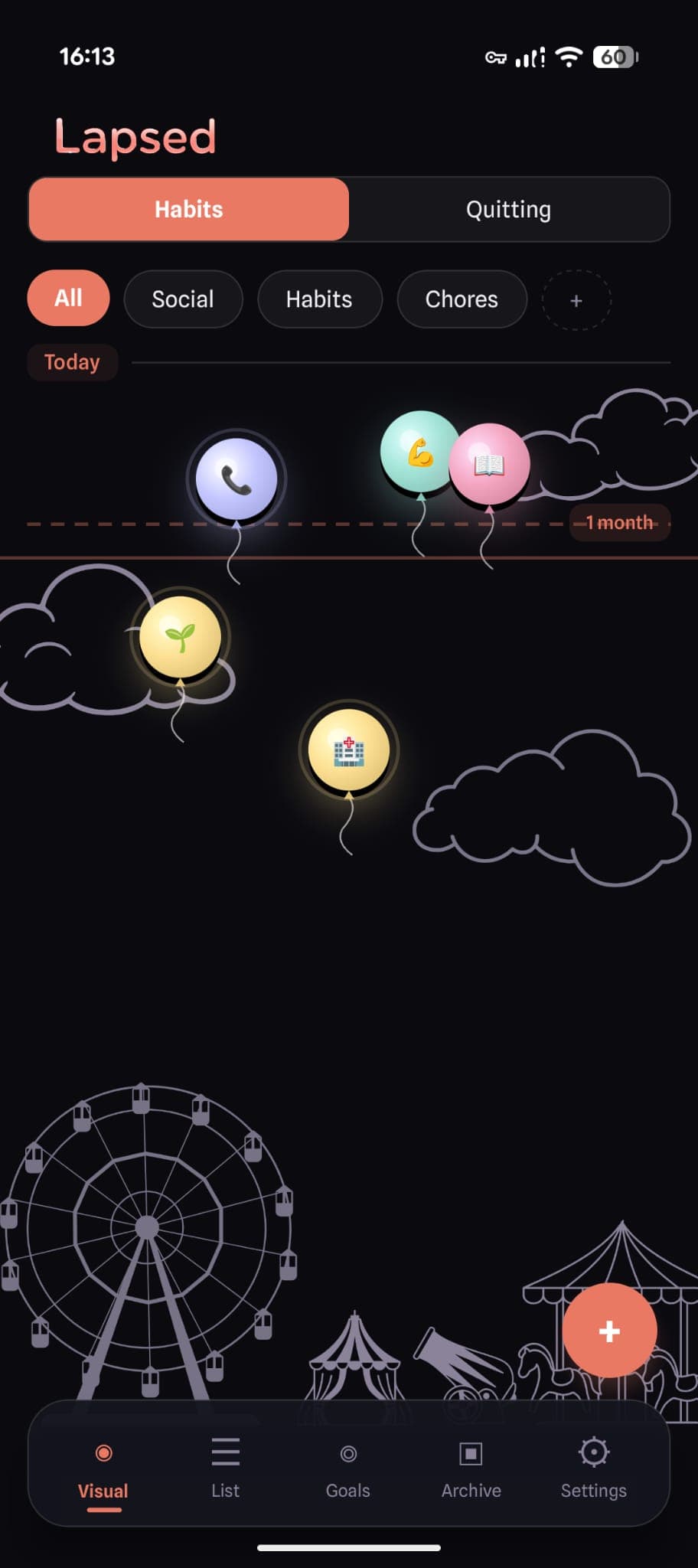
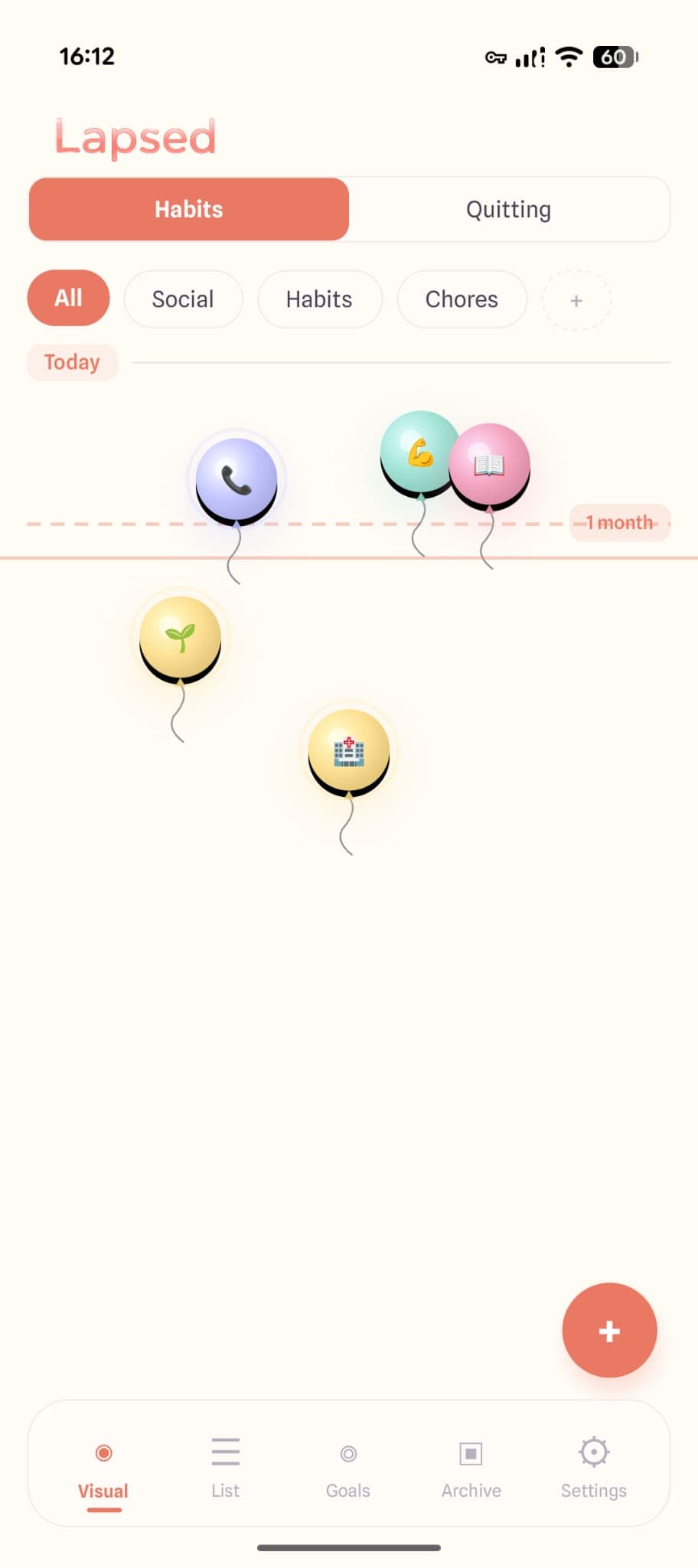
Lapsed started on iOS, where it earned a following for doing something no other tracker does: replacing numbers with spatial, visual representations of time. Instead of reading "14 days" on a screen, you see an item floating across a canvas — drifting further from today's line the longer it has been.
This is not a gimmick. Visual tracking works because the brain processes spatial information faster than numerical data. A balloon near the bottom of your screen communicates urgency instantly, without you needing to read or interpret a number.
Here is what Android users now get access to:
The Visual Canvas
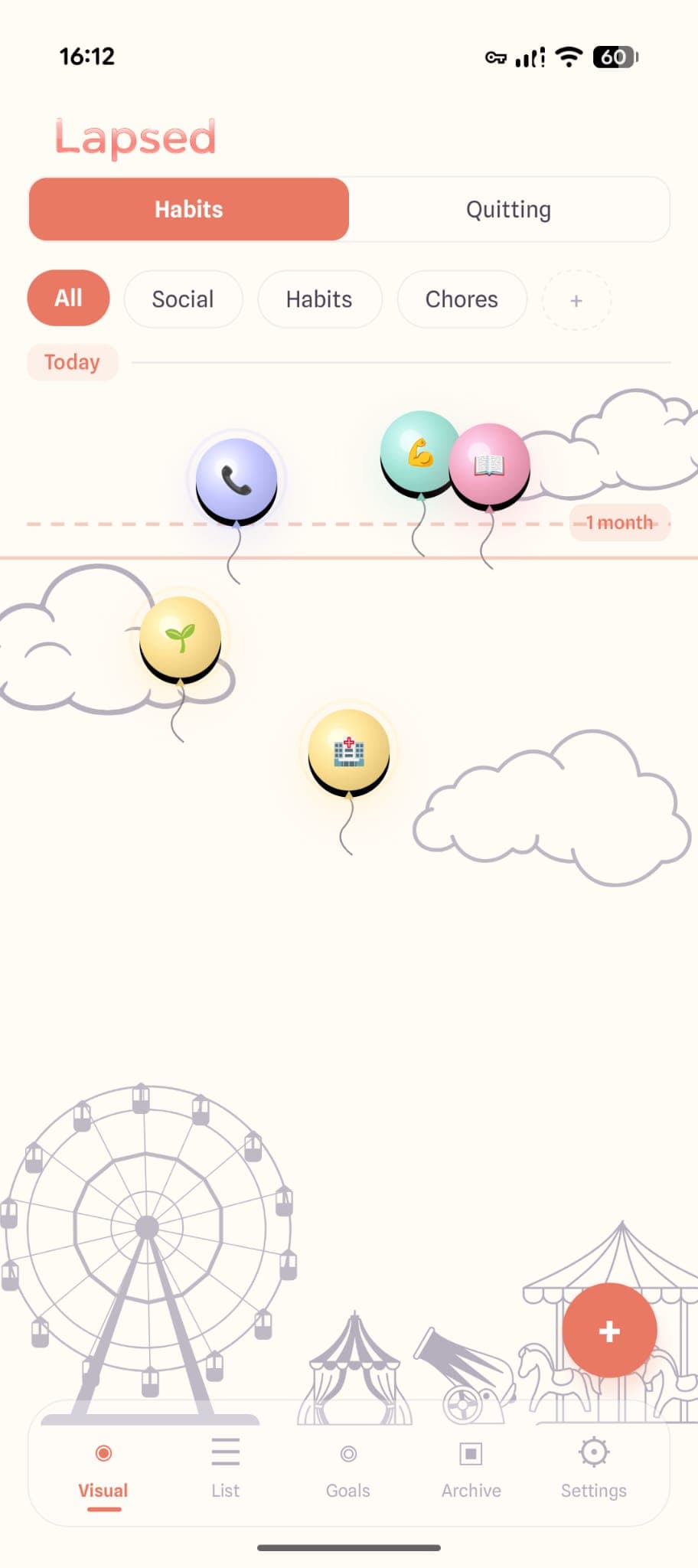
The core of Lapsed is its canvas. Your tracked items appear as floating elements — dots, balloons, hot air balloons, spaceships, or jellyfish — arranged vertically by elapsed time. Items near the top are recent. Items drifting toward the bottom have been a while. You take in your entire tracking landscape at a glance.
This is fundamentally different from scrolling through a numbered list. You are not reading data. You are seeing it.
Threshold Lines Instead of Streaks
Most counter apps on Android use streak logic: keep the number going up, and if it resets, you have failed. Lapsed replaces this with threshold lines — horizontal markers on the canvas that represent your personal goals.
Set a threshold at 30 days for "change air filter" and you will see the item drift toward that line over time. Cross it, and you know it is time to act. There is no streak to break. No punishment for resetting. Just a clear visual signal.
This approach is healthier than streak counting and better suited to the kinds of things most people actually want to track — things that happen periodically, not daily.
Categories That Organise Everything
Where most Android day counters dump all your items into a single list, Lapsed lets you organise by category: health, home, social, quitting, goals, and more. Each category can have its own visual style and colour, so your dentist appointments do not sit next to your sobriety counter in an undifferentiated wall of numbers.
Get Lapsed on Android
The visual days-since tracker is now on Google Play. Track anything, see everything, stress about nothing.
How Lapsed Compares to Other Android Day Counter Apps
Lapsed vs. Day Counter
Day Counter is one of the most downloaded counter apps on Android. It is simple and functional — you add events, it counts days. But that is where it stops. No visual canvas, no spatial layout, no threshold system. It is a list of numbers with a clean coat of paint.
Lapsed gives you the same counting functionality but wraps it in a visual experience that makes the data meaningful at a glance. If you have been using Day Counter and wished it felt more engaging, Lapsed is the upgrade.
Lapsed vs. Days Since — Track Memories
Days Since focuses on memory tracking with photo cards. It is well-designed for nostalgia — remembering when things happened. But as a practical tool for managing recurring tasks and habits, the card layout gets crowded quickly. Lapsed's canvas approach scales better and communicates more information in less space.
Lapsed vs. Generic Habit Trackers
Apps like Loop Habit Tracker and HabitNow are solid daily habit trackers, but they answer a different question. They ask "did you do this today?" Lapsed asks "how long has it been?" These are complementary tools, not competitors — but if your tracking needs lean toward intervals rather than daily checkboxes, Lapsed is purpose-built for that.
For a full comparison of the best day counter apps and best days-since trackers, see our detailed reviews.
What You Can Track on Android
The beauty of a flexible days-since tracker is that it works for nearly anything with a natural interval:
- Health: Days since last dentist visit, eye exam, blood test, or medication refill
- Home: When you last changed the air filter, cleaned the gutters, or serviced the boiler
- Social: How long since you called your parents, caught up with a specific friend, or visited family
- Quitting: Days since you last smoked, vaped, or engaged in a habit you are breaking
- Personal goals: Time since you last read a book, went hiking, or practised an instrument
The Design That Makes It Work
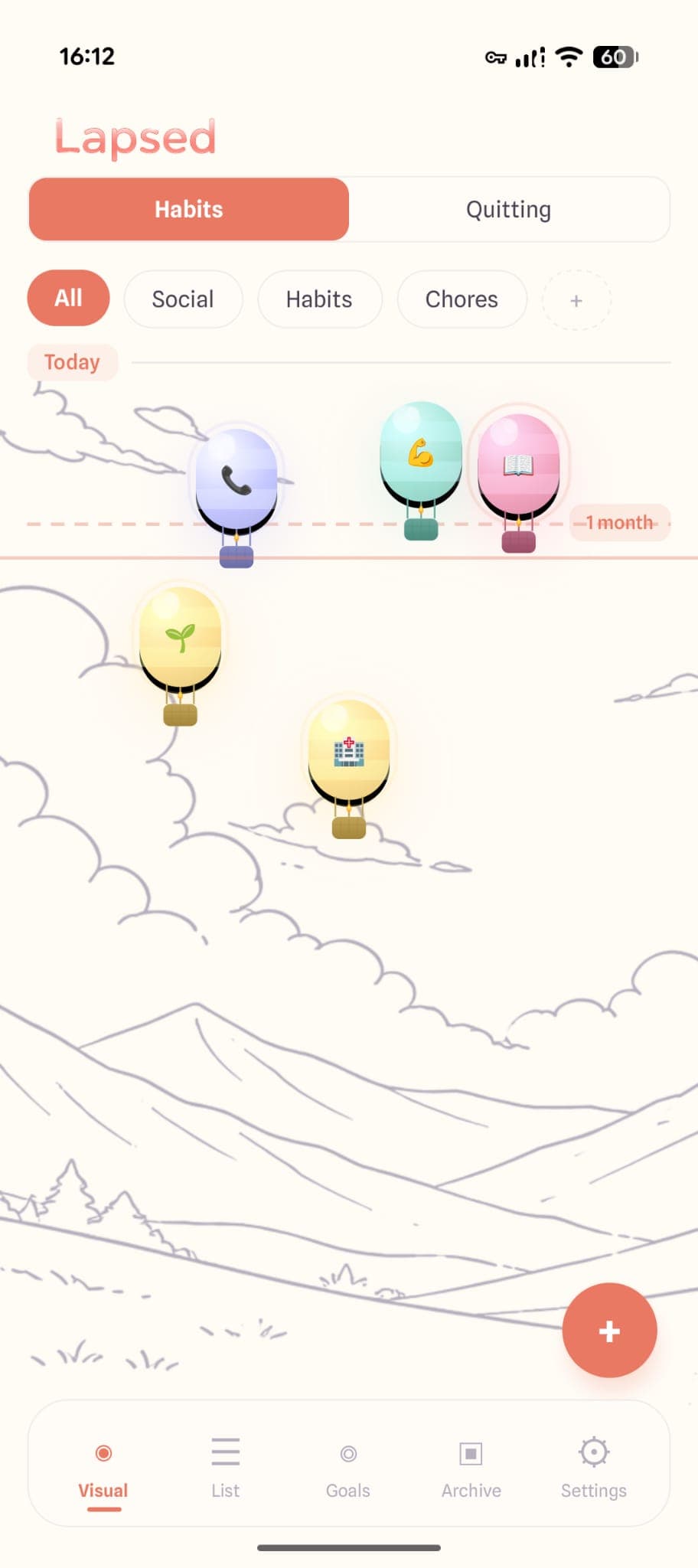
Lapsed uses a glassmorphism design system — frosted glass cards, soft colour palettes, and spring-physics animations. On Android, this translates to an app that feels premium and intentional. Dark mode transforms the canvas into a deep midnight sky. Light mode uses warm cream tones that make the app feel calm rather than clinical.
This is not superficial polish. Beautiful design directly affects whether you keep using a tracker. If the app feels good to open, you open it more. If you open it more, you track more. If you track more, you stay aware of the things that matter.
Getting Started on Android
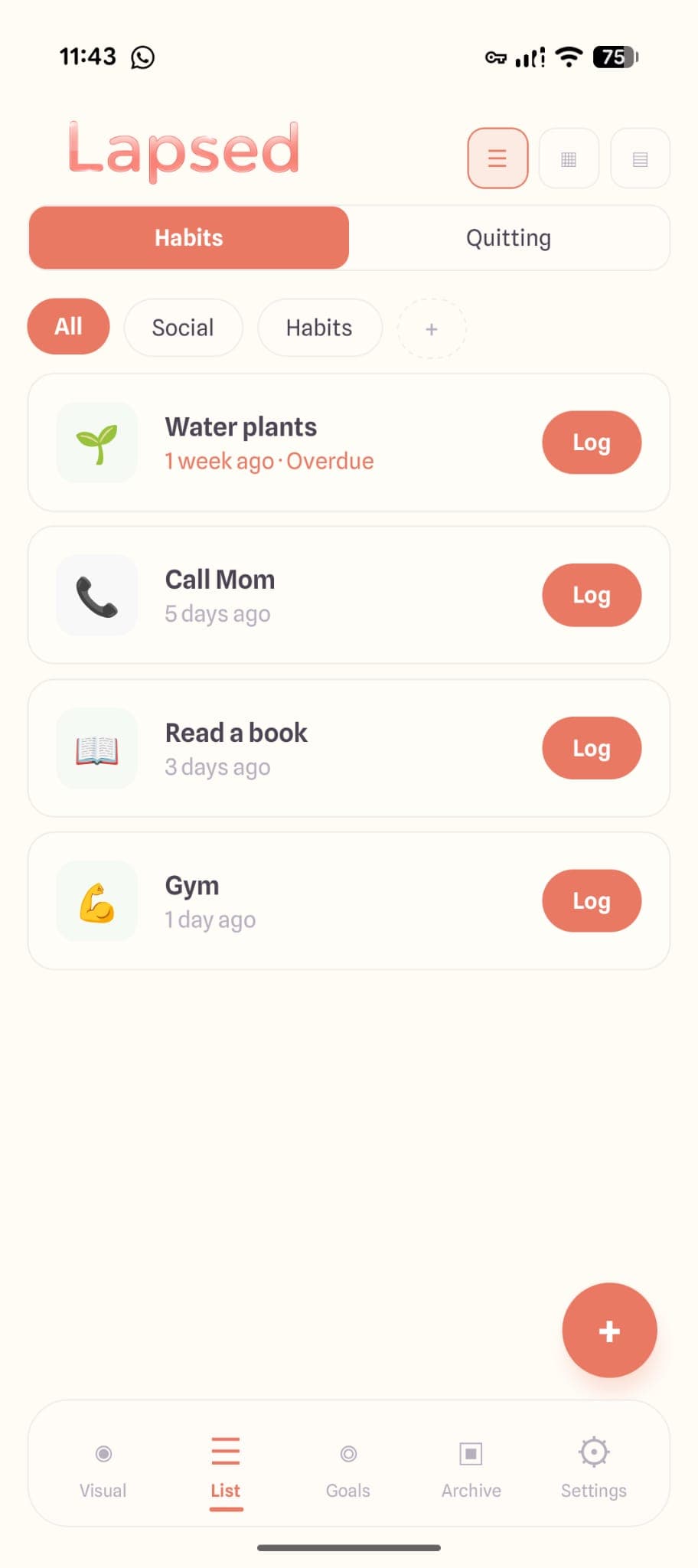
Setting up Lapsed takes about two minutes. Add your items, choose a visual style for each category, set your thresholds, and you are done. The canvas populates immediately, giving you a spatial overview of everything you are tracking.
If you have been using Lapsed on iOS and now have an Android device, your data syncs across platforms — so nothing is lost in the switch.
Try Lapsed Free
Download Lapsed on Android and see your tracked items come to life on a visual canvas. No streaks. No guilt. Just clarity.
Android finally has a days-since tracker worth using. Not because the counting is different — every app can count days — but because the way you see those days changes everything.
Written by Lapsed
The beautiful days since tracker. Track your life visually.
Related Articles
Why an Aesthetic Habit Tracker Actually Works Better: Beauty as a Feature
Most habit trackers are ugly and forgettable. An aesthetic tracker with glassmorphism, spatial UI, and calm colours changes your relationship with tracking entirely. Here is why design matters more than features.
Days Since Tracker for Couples: Be More Intentional About Your Relationship
Use a days-since tracker to stay intentional about date nights, quality time, and thoughtful gestures. Not a couples app — a personal tool that helps you notice when you are drifting.
Days Since Tracker vs Habit Tracker: Which Do You Actually Need?
The difference between a days since tracker and a habit tracker is more than semantics. One asks 'did you do it today?' while the other asks 'how long has it been?' Here is why most people need the latter.