
Best Day Counter Apps in 2026: Track Days Since Anything
You want to count days. Maybe days since you quit smoking. Maybe days since your last migraine. Maybe how long since you called a friend or changed the air filter. Whatever the reason, you need an app that answers one question: how long has it been?
There are dozens of day counter apps available. Most are fine. A few are excellent. Here is an honest comparison of the best options in 2026, with real pros and cons so you can pick the right one.
What to Look for in a Day Counter App
Before the comparison, here is what separates a good day counter from a mediocre one:
- Speed of logging. If it takes more than two taps to log an event, you will stop using it.
- Visual clarity. You should be able to glance at the app and instantly know what needs attention.
- Multiple counters. Most people want to track more than one thing.
- History. A good day counter remembers your past logs, not just the current count.
- Design. You will open this app daily. It should not be ugly.
The Best Day Counter Apps Compared
1. Lapsed
Best for: People who want a beautiful, visual day counter for multiple areas of life
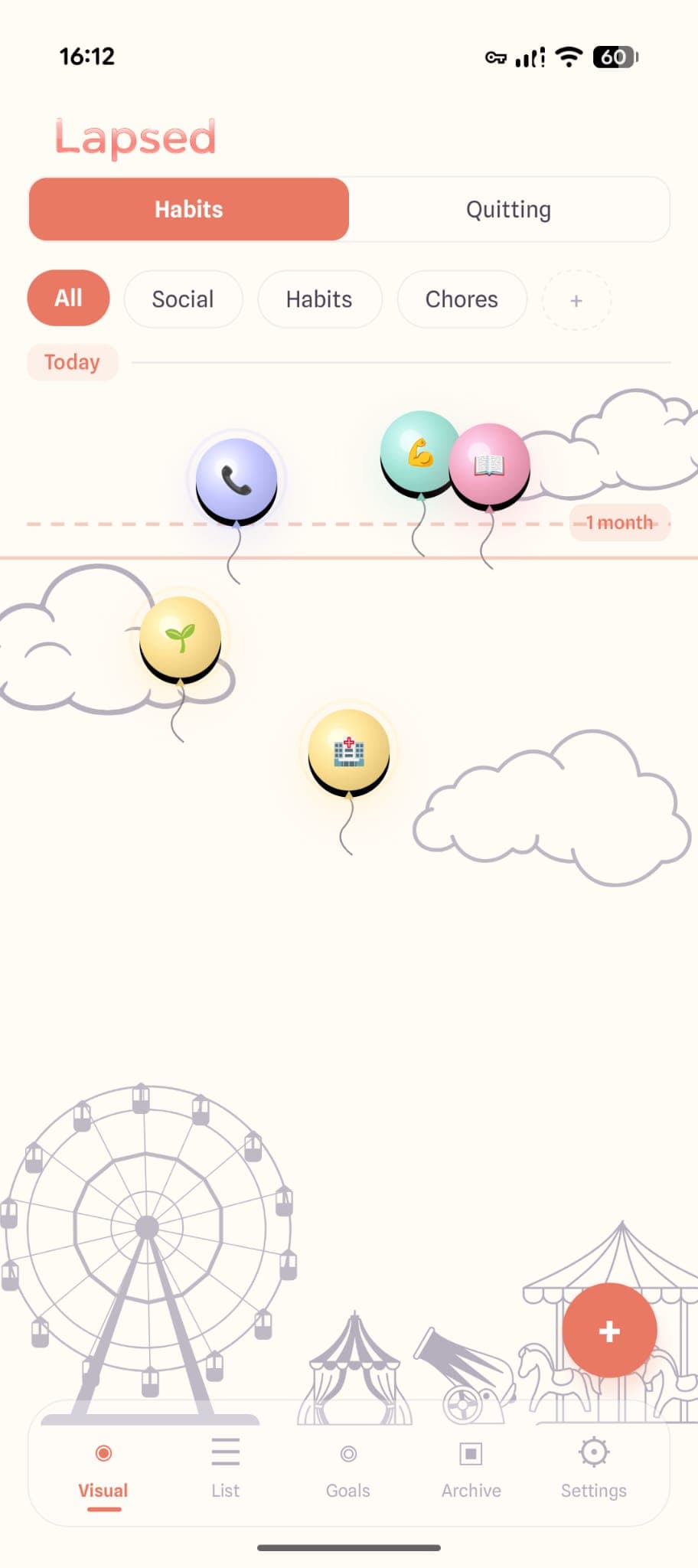
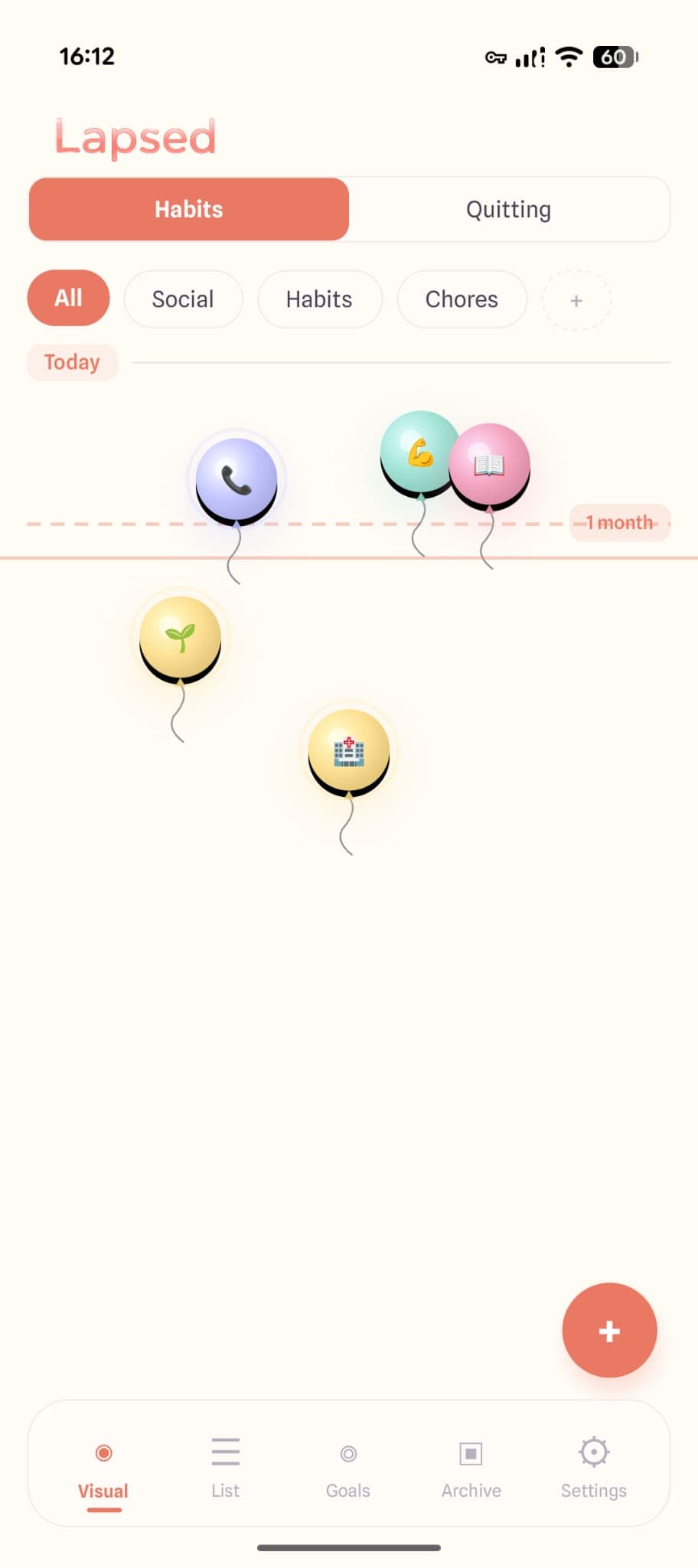
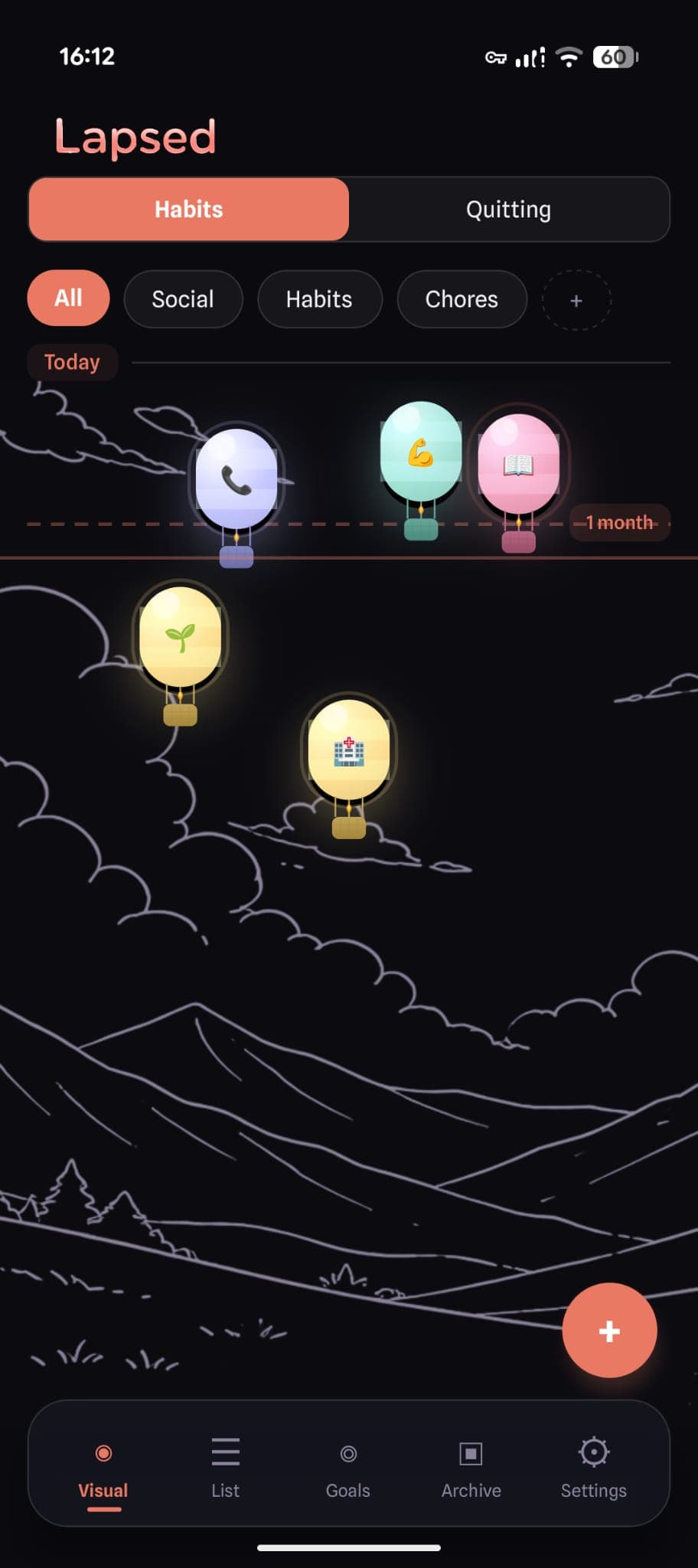
Lapsed takes a completely different approach to day counting. Instead of showing numbers in a list, your items float on a visual canvas — dots, balloons, hot air balloons, spaceships, or jellyfish. The further an item has drifted from today, the longer it has been.
Strengths
Beautiful visual canvases (5 styles). Threshold system shows what is overdue at a glance. Categories for organising counters. Completion history for every item. Glassmorphism design that is genuinely premium. Works for habits, quitting, health, social, home — everything.
Limitations
Free tier limited to 3 items and dots style. No Apple Watch app currently.
Pricing: Free tier available. Pro from $3.99/month, $39.99/year, or $49.99 lifetime.
2. I Am Sober
Best for: Sobriety tracking specifically
The most popular sobriety day counter. Clean interface focused entirely on counting days since you quit something. Strong community features and milestone celebrations.
Strengths
Excellent for sobriety and addiction recovery. Daily pledge feature. Community and sharing. Milestone badges. Savings calculator.
Limitations
Designed specifically for sobriety — awkward for tracking general tasks. Heavy monetisation. No visual canvas or spatial representation. Streak-based, which can create anxiety.
Pricing: Free with ads. Premium subscription required for full features.
3. DayCount
Best for: Simple, no-frills day counting
A straightforward day counter app. Add events with dates and it shows you how many days since (or until). Minimalist and functional.
Strengths
Very simple to use. Counts up and down. Widget support. Clean interface.
Limitations
No visual representation beyond numbers. No categories or organisation. No threshold system. Limited history. Basic design.
Pricing: Free with optional premium.
4. Streaks
Best for: Apple ecosystem users who want system integration
Apple Design Award winner. Integrates with Apple Health and has a strong focus on building daily habits through streak counting.
Strengths
Apple Health integration. Beautiful ring-based design. Apple Watch app. Siri shortcuts. Up to 24 tasks.
Limitations
Streak-based — the entire app revolves around not breaking chains. Apple only. Fixed daily/weekly goals — not flexible for irregular tasks. Not suited for "days since" tracking.
Pricing: $7.99 one-time purchase.
5. Time Since
Best for: Quick, lightweight day counting
A simple "how long since" tracker. Add events and see elapsed time. No bells and whistles.
Strengths
Extremely lightweight. Fast to set up. Shows days, weeks, months, and years. Free.
Limitations
Very basic. No visual tracking. No categories. No thresholds. No completion history. Dated design.
Pricing: Free.
Comparison Table
| Feature | Lapsed | I Am Sober | DayCount | Streaks | Time Since |
|---|---|---|---|---|---|
| Visual canvas | ✓ | ✗ | ✗ | ✗ | ✗ |
| Multiple counter styles | ✓ | ✗ | ✗ | ✗ | ✗ |
| Threshold system | ✓ | ✗ | ✗ | ✗ | ✗ |
| Categories | ✓ | ✗ | ✗ | ✗ | ✗ |
| Completion history | ✓ | ✓ | ✗ | ✓ | ✗ |
| Sobriety focused | ✓ | ✓ | ✗ | ✗ | ✗ |
| General day counting | ✓ | ✗ | ✓ | ✗ | ✓ |
| No streak anxiety | ✓ | ✗ | ✓ | ✗ | ✗ |
| Free tier | ✓ | ✓ | ✓ | ✗ | ✓ |
| Android | ✓ | ✓ | ✓ | ✗ | ✓ |
Which Day Counter Should You Choose?
Choose Lapsed if you want to track multiple areas of your life on a beautiful visual canvas without streak pressure. Best for people who care about design and want a flexible, all-purpose day counter.
Choose I Am Sober if you are specifically in addiction recovery and want community features, daily pledges, and sobriety milestones.
Choose DayCount if you want the simplest possible day counter with no extra features.
Choose Streaks if you are fully in the Apple ecosystem and want Health integration with daily habit streaks.
Choose Time Since if you want a free, no-frills timer for a handful of events.
Count days beautifully
Lapsed turns day counting into a visual experience. Floating dots, balloons, and hot air balloons show the passage of time on a canvas you will actually want to open.
Read our complete guide to days since trackers or discover why visual tracking is more effective than number-based counting.
The day counter that is different
No streaks. No plain number lists. Just a beautiful canvas where time becomes visible. Track anything — habits, quitting, health, social, home maintenance.
Written by Lapsed
The beautiful days since tracker. Track your life visually.
Related Articles
Days Since Tracker: The Complete Guide to Tracking How Long It's Been
Everything you need to know about days since trackers — what they are, how they work, and why a visual days since counter beats a plain number list. Free guide with app recommendations.
Days Since Tracker vs Habit Tracker: Which Do You Actually Need?
The difference between a days since tracker and a habit tracker is more than semantics. One asks 'did you do it today?' while the other asks 'how long has it been?' Here is why most people need the latter.
Why Streak Counters Make You Quit (And What to Use Instead)
Streak counters create anxiety and all-or-nothing thinking. Discover why a threshold-based day counter is a healthier, more effective alternative for tracking habits and days since.